Overview
The IronPLC extension brings IEC 61131-3 Structured Text support to your development environment. It provides real-time feedback as you write code, helping you catch errors before deployment.
Supported Languages
IEC 61131-3 Structured Text
The primary language supported by IronPLC.
- File Extensions:
.st,.iec
The extension provides:
Syntax highlighting for keywords, types, comments, strings, and numbers
Automatic bracket matching for block keywords (
IF/END_IF,FUNCTION/END_FUNCTION, etc.)Real-time diagnostic analysis
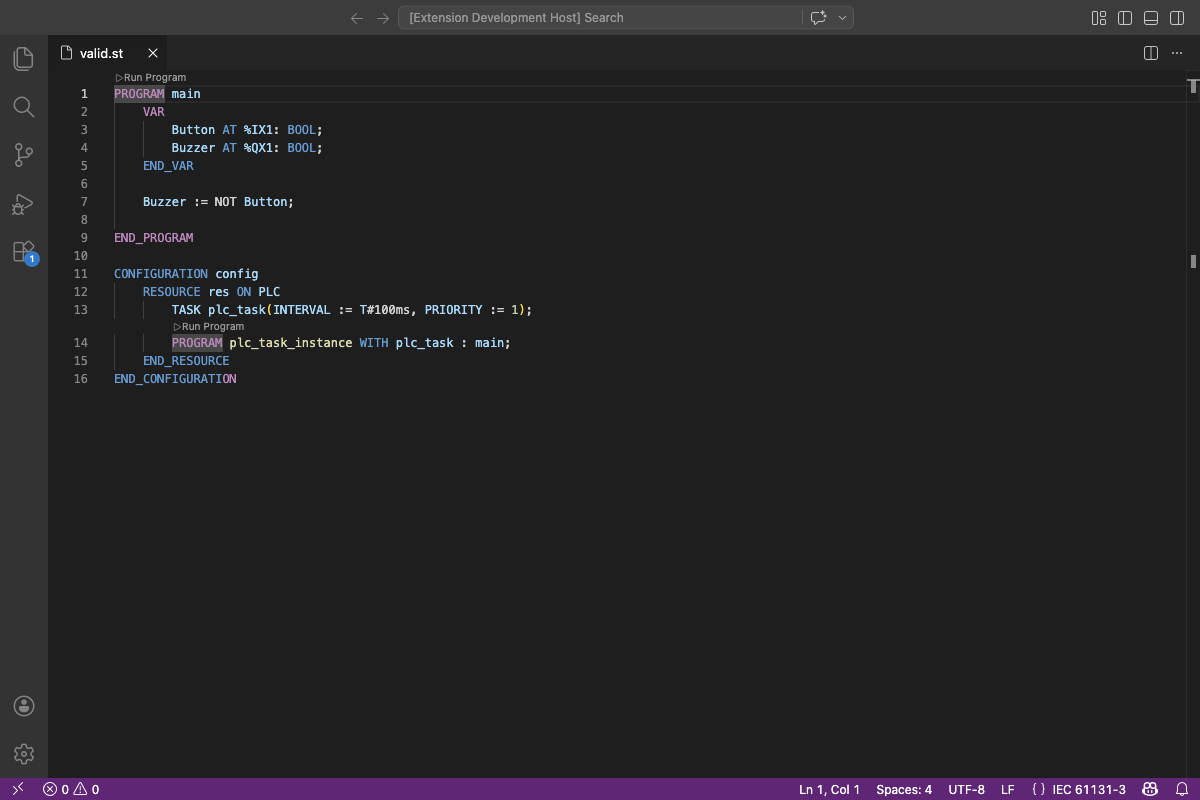
Structured Text with syntax highlighting in VS Code.
PLCopen XML
XML format for IEC 61131-3 projects as defined by PLCopen TC6.
The extension detects PLCopen XML files by looking for the PLCopen namespace in the opening XML tags. It provides XML syntax highlighting with embedded Structured Text support inside CDATA sections.
TwinCAT
Beckhoff TwinCAT 3 project files containing IEC 61131-3 source code.
- File Extensions:
.TcPOU,.TcGVL,.TcDUT
The extension provides XML syntax highlighting with embedded Structured Text support and real-time diagnostic analysis.
Commands
New Structured Text File
Creates a new untitled file with the Structured Text language mode pre-selected.
- Menu Location:
To use this command:
Open the Command Palette (Ctrl+Shift+P or Cmd+Shift+P)
Type “New Structured Text File”
Press Enter
Build Tasks
The extension provides a build task that compiles your project to a bytecode
container (.iplc) file. Use Ctrl+Shift+B to run the build task.
See Build Tasks for details.
Bytecode Viewer
Opening an .iplc bytecode file displays a human-readable disassembly of
the compiled program, including the file header, constant pool, and function
instructions with color-coded opcodes. See Bytecode Viewer for details.

The bytecode viewer showing a disassembled .iplc file.
Diagnostics
The extension reports diagnostics from the IronPLC compiler in real-time:
Errors (red underline): Code that will not compile
Warnings (yellow underline): Code that may indicate problems
Each diagnostic includes a problem code (e.g., P0001) linking to documentation that explains the issue and how to resolve it. See Problem Codes for the complete list.
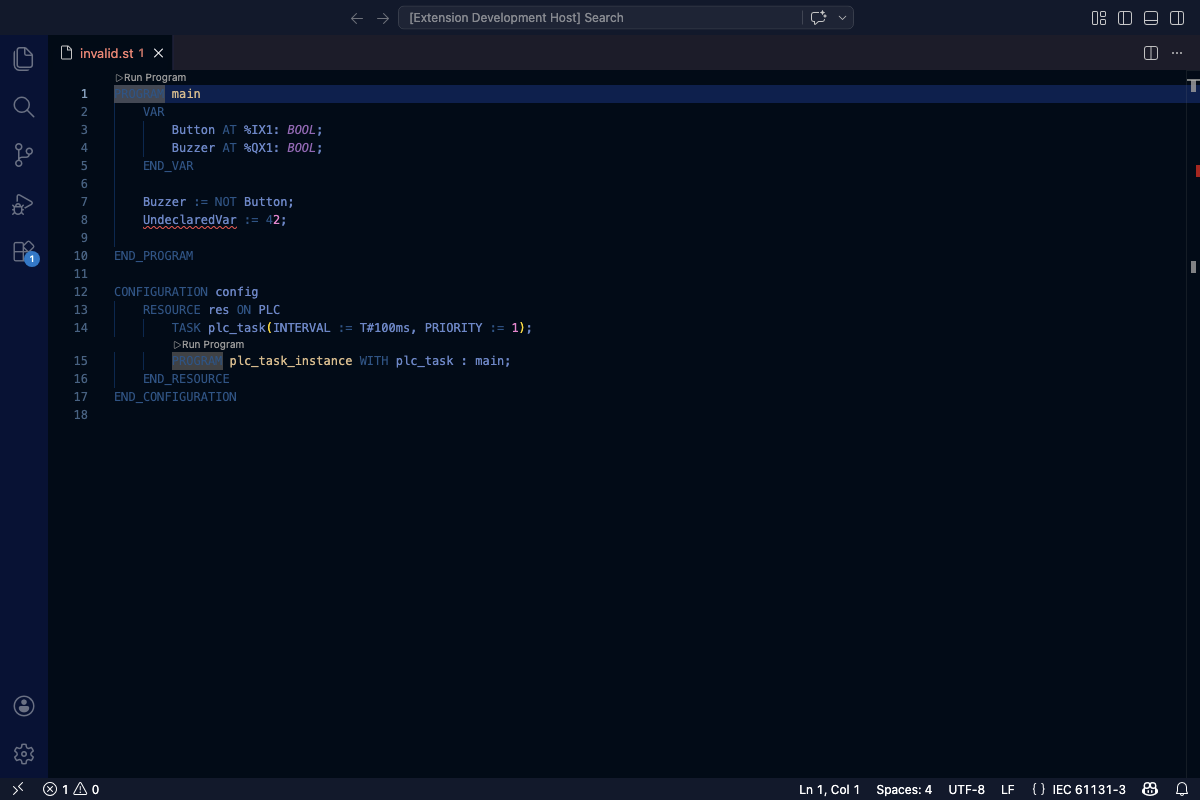
Diagnostics with error squiggles and problem codes.
Open the Problems panel (Ctrl+Shift+M or ⌘+Shift+M) to see all diagnostics in a list with their problem codes.
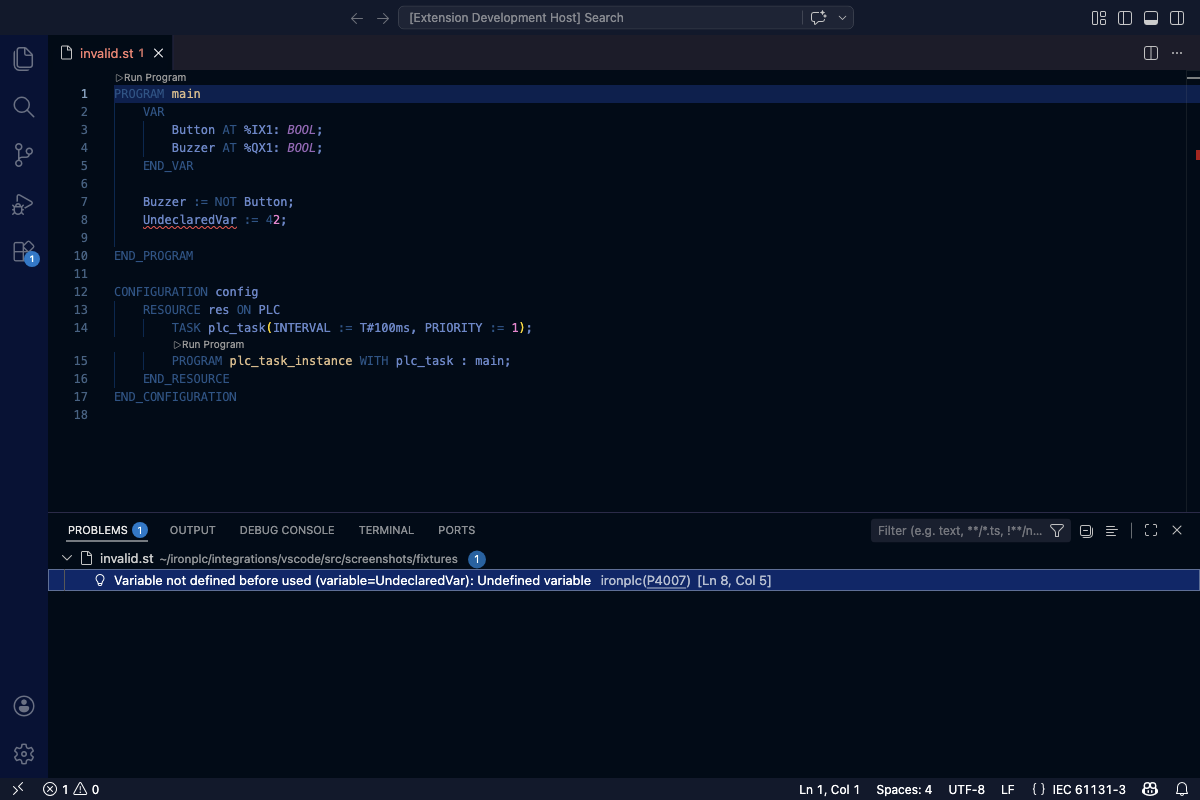
The Problems panel showing diagnostics with problem codes.
Run Program
The extension adds a Run Program code lens above each PROGRAM
declaration. Click it to compile and execute the program using the IronPLC
runtime.
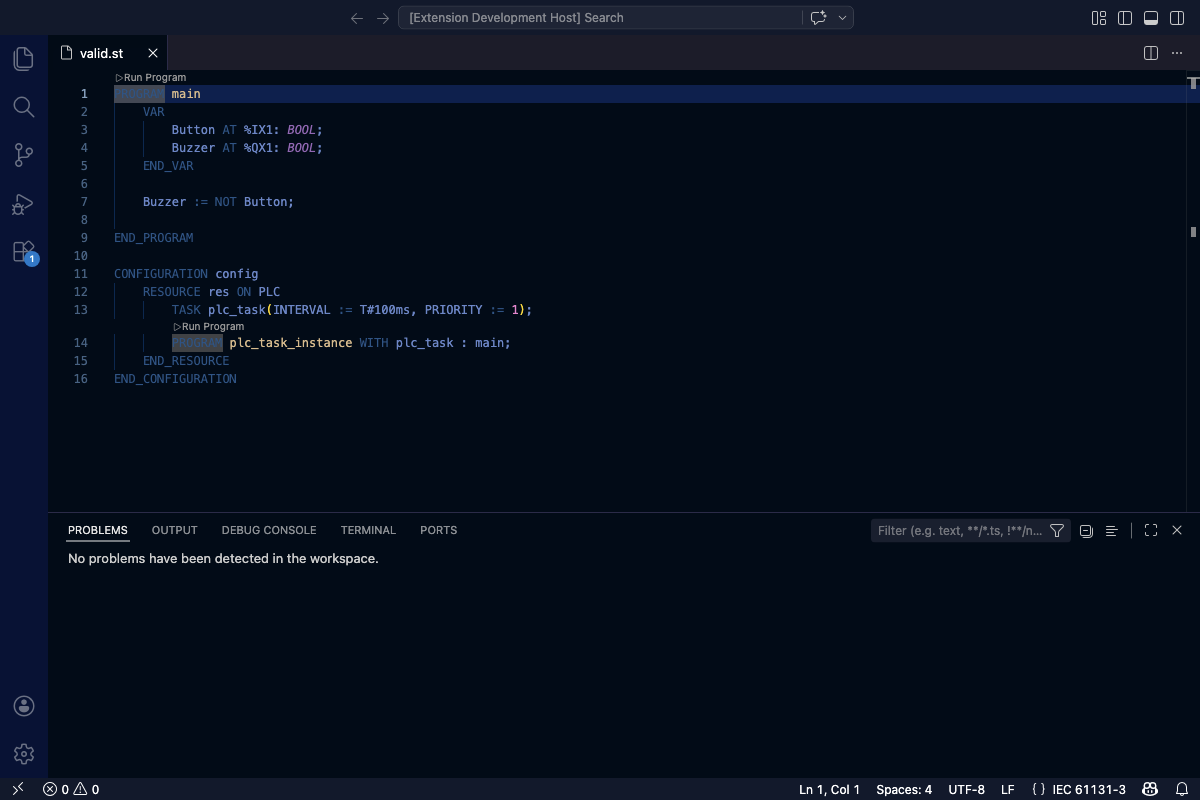
The Run Program code lens above a PROGRAM declaration.
While the program is running, the code lens changes to Stop and Pause controls.
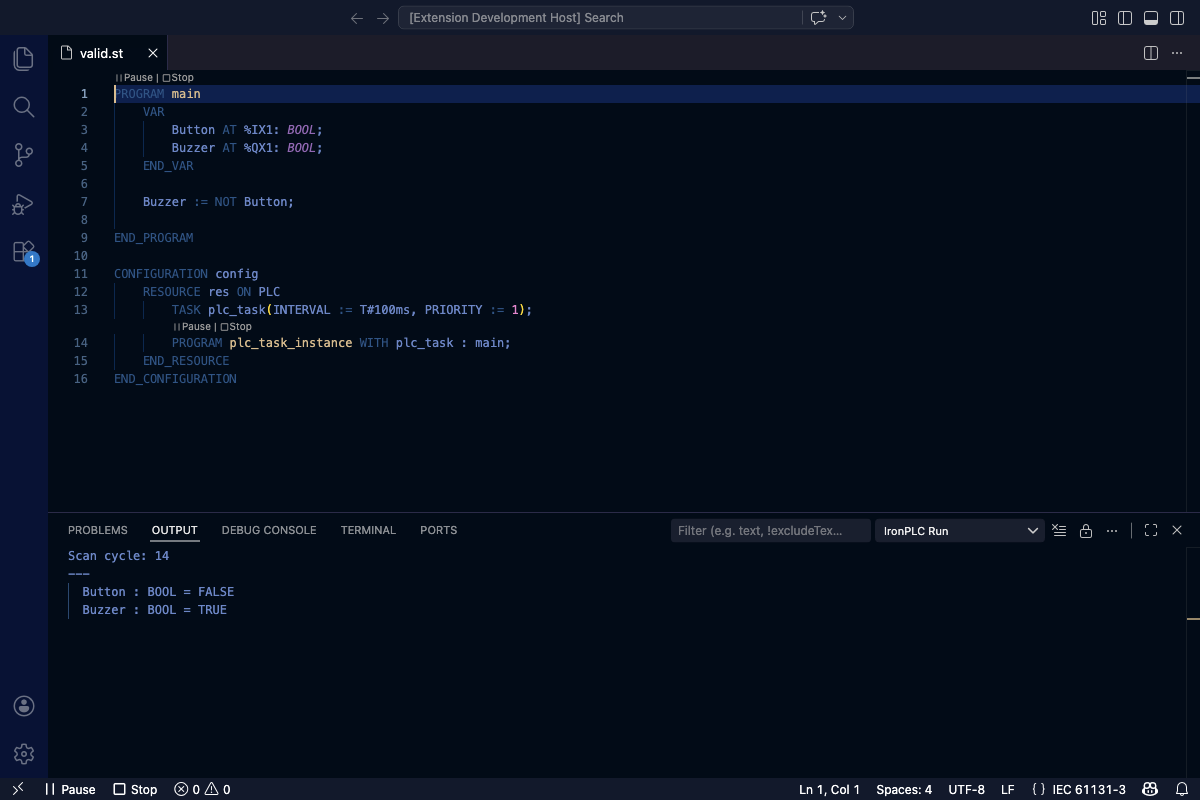
Stop and Pause controls replace Run Program while the program executes.
Debugging
The extension debugs Structured Text programs. Set a breakpoint in the gutter and press F5 to pause the program on that line, step through it, and inspect variables by name and type.
Run Program and debugging answer different questions. Run Program executes the program and shows you what it produced. The debugger stops the program mid-scan and shows you what it is doing.
Note
Debugging is early and in development. Breakpoints, stepping, and variable inspection work for Structured Text programs, but some capabilities are missing or limited. Each section notes the limits that apply to it.
See Debugging for the launch configuration, the supported debug actions, and the current limits.